
Day 5 of the Daily UX Writing challenge, and it made me flashback to losing part of my graduate thesis a few years back.
The challenge is as follows:
- Scenario: The user works in graphic design. While critiquing a design in a mobile app, their phone abruptly turns off. When they restart the phone, they reopen the app.
- Challenge: Write a message that the user will read immediately upon opening the app. What do they need to know? What steps (if any) do they need to take to recover their content? What if they can’t recover the content?
- Headline: 40 characters max
- Body: 140 characters max
- Button(s): 20 characters max
My thought process
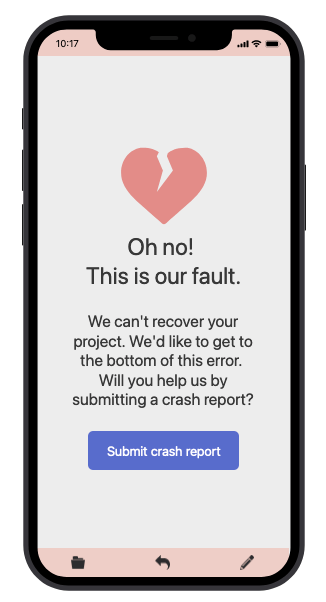
I think most creators have experienced the horror that is losing a project through a sudden application crash. Whether it’s the last 20 minutes or 20 hours of work – any kind of file loss can be devastating. This is why for the first screen, I focused on created an error where the application takes responsibility for the crash as well as the file loss. The message is direct in admitting the file cannot be recovered. It also appeals to the user to help investigate what went wrong by submitting a crash report to help improve the product.
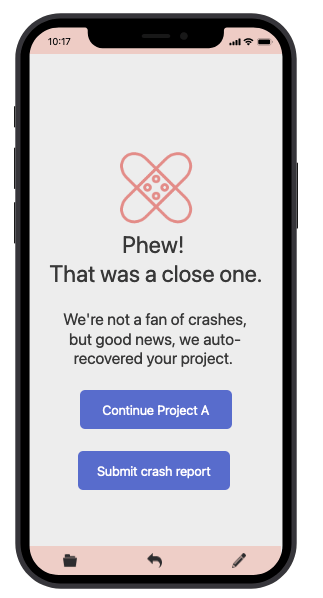
For the second screen, where our story is a happier one, I empathize with the user by showing relief that the file was not lost and was automatically recovered by the app. I don’t want users to dawdle here, lingering on what could’ve been a bad experience, so there isn’t as much of a message other than two options: Continue their project or submit a crash report (to help the app improve).
 Katie Barrick